
How to Choose an Industrial Touch Display?

Choosing an Industrial Touch Display is not just a matter of selecting screen size or resolution. The right model must fit the worksite, the equipment, and the people using it. A bright factory floor, a washdown area, and a vehicle cab each place different demands on a display. Small details matter.

Usability expert Don Norman offers a helpful test: “I want to focus on the job.” That idea applies directly to industrial touchscreens. Operators should be able to read the interface and complete tasks without fighting glare, hunting for buttons, or removing protective gloves. Not every site is clean. Dust, moisture, vibration, and temperature changes can affect performance, so check the stated operating conditions and protection rating against the real installation.

This guide explores the practical choices behind a reliable Industrial Touch Display, including screen technology, brightness, touch response, mounting, connectivity, and environmental durability. It also considers compatibility with the host system and the cost of maintenance over time. A specification sheet can look convincing, yet still miss the operator’s daily reality. That deserves a second look. A glove-friendly panel may respond differently in rain; a high-brightness screen may add heat or power demands. There is no universal best choice. The aim is to match measurable requirements with actual use, then verify the fit before deployment.
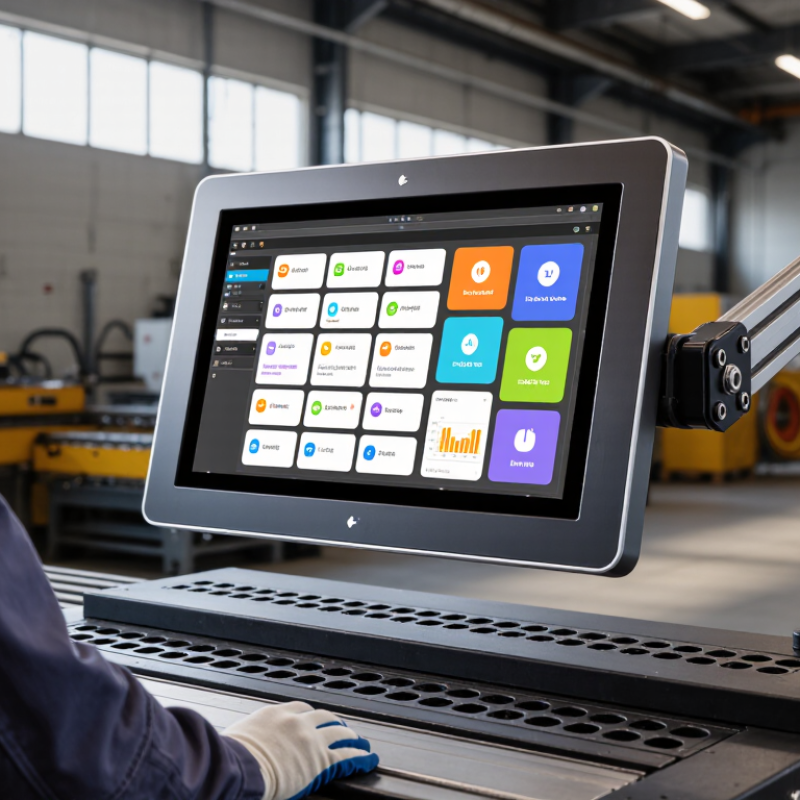
How to Choose an Industrial Touch Display?

Define the Environment: IEC 60529 IP65 Means Dust-Tight and Water-Jet Resistant

How to Choose an Industrial Touch Display?

An IP65 rating helps clarify what an industrial touch display can withstand. Under IEC 60529, the first digit, 6, means the enclosure is dust-tight. The second digit, 5, means it resists water jets from a nozzle under defined test conditions. It is not a promise of protection against immersion. Important distinction.

Picture a display mounted beside a packaging line, where fine powder settles on the bezel and operators wipe away splashes. IP65 may suit this setting, but it does not automatically cover every cleaning method. High-pressure sprays, hot water, and aggressive detergents can exceed the test conditions or damage seals. A rating can look reassuring on a datasheet, yet installation details are easy to overlook.

Check whether the rating applies to the complete installed unit, including its connectors, cable entries, and mounting gasket. A loose gland or pinched seal can create a path for dust or water. Ask how the enclosure was tested, and compare that method with the actual spray direction and cleaning routine at your site. Inspect seals over time, too. Even a properly rated display can lose protection if its housing is damaged or maintenance is neglected.

How to Choose an Industrial Touch Display? — Define the Environment: IEC 60529 IP65 Means Dust-Tight and Water-Jet Resistant

Environment or Exposure Typical Conditions IP65 Suitability Selection Checks
Dusty production floor Airborne, non-conductive dust from routine manufacturing processes. Generally suitable when the complete installed enclosure is rated IP65. The first digit, 6, indicates dust-tight protection under IEC 60529 testing. Check the rating applies to the assembled display, including its front surface, seams, connectors, and cable entries.
Occasional equipment washdown Water projected as jets during cleaning, without immersion or high-pressure steam cleaning. May be suitable. The second digit, 5, indicates protection against water jets under specified test conditions. Confirm the manufacturer’s permitted water pressure, nozzle distance, temperature, cleaning method, and installation orientation.
Outdoor installation with rain exposure Rain and wind-driven moisture, with possible sunlight and temperature changes. IP65 addresses dust and water-jet ingress, but does not establish suitability for every outdoor condition. Also assess UV resistance, operating temperature, condensation, corrosion, glare, and the mounting arrangement.
Food or beverage processing area Frequent cleaning, detergents, disinfectants, and possible contact with process residues. IP65 alone does not confirm resistance to chemicals, hot water, or a specific sanitation procedure. Verify material compatibility and cleaning limits. Consider a higher or specialized enclosure rating if the cleaning regime requires it.
High-pressure or steam cleaning Powerful water jets, close-range spraying, or hot steam used for intensive washdown. Do not assume IP65 is sufficient. Its water test is not a general guarantee against high-pressure jets or steam. Choose an enclosure tested and specified for the actual cleaning method; review the relevant IP rating and temperature limits.
Temporary immersion or standing water The display may be submerged, flooded, or exposed to water accumulating around the enclosure. IP65 does not indicate protection against immersion. Assess immersion risk separately and select an appropriate enclosure rating, such as one with a verified immersion classification, where required.

IP65 in brief: Under IEC 60529, “6” signifies dust-tight protection and “5” signifies protection against water jets under defined test conditions. The rating describes ingress protection; it does not by itself certify impact resistance, chemical resistance, display performance, or suitability for every installation.

Set Visibility Needs: 1,000 cd/m² Is a Common Sunlight-Readability Benchmark

How to Choose an Industrial Touch Display?

Set Visibility Needs: 1,000 cd/m² Is a Common Sunlight-Readability Benchmark

A display rated near 1,000 cd/m², or nits, is a useful starting point for outdoor industrial equipment. It is not a guarantee of readability. At midday, sunlight can illuminate a panel with tens of thousands of lux, washing out pale text and fine status icons. A matte surface, strong contrast, and controlled reflections matter alongside peak brightness. ISO 9241-303:2011 provides ergonomic requirements for electronic visual displays, while IEC 61747-30-1 specifies optical measurement methods for LCD modules. These references help frame evaluation; neither defines 1,000 nits as a universal sunlight-readability pass mark.

Check the actual installation. A touchscreen mounted beneath a canopy may work well at 700 nits, while a panel facing low afternoon sun may struggle above 1,000. Test it with the intended gloves, viewing angle, and interface colors. Look for readable alarm text, not just a bright white screen. Ask suppliers for measured luminance, contrast, and reflectance data, and confirm whether brightness is sustained or only a short-term maximum. Small detail, big difference. Heat can also limit sustained output, and maximum brightness may shorten operating life. A brief outdoor test is worthwhile; specifications alone can still mislead.

How to Choose an Industrial Touch Display?

Set visibility needs: 1,000 cd/m² is a common sunlight-readability benchmark.

These representative brightness levels range from typical indoor displays to high-brightness outdoor models. Around 1,000 cd/m² is a common benchmark for sunlight-readable displays, but actual visibility also depends on reflections, screen contrast, viewing angle, and ambient light.

Choose Touch Technology: Compare Projected-Capacitive and Resistive Performance

Projected-capacitive (PCAP) displays sense changes in an electrical field through a glass surface. They support multi-touch gestures and can keep a smooth, sealed front, useful when operators wear thin gloves or wipe the screen often. But glove performance depends on the controller, glove material, and settings; “glove compatible” is not a universal guarantee. Test the actual glove at the intended machine.

Resistive displays register pressure, so a bare finger, gloved hand, or passive stylus can operate them. That can help on a workbench where operators use thick gloves or a pointed tool. The trade-off is a flexible top layer that may wear or scratch with repeated, hard presses. Touch choice alone does not determine washdown resistance; the bezel, seals, and enclosure matter too.

For electrical robustness, IEC 61000-4-2:2008 specifies test levels from 2 to 8 kV for contact discharge and 2 to 15 kV for air discharge. These are test levels, not a promise that any display will survive every factory event. Ask suppliers for test results on the complete assembly. A practical check is simple: try both technologies with oily fingers, gloves, and the stylus operators actually use. Small detail. Big consequence. There is no perfect choice; a display that feels responsive in a lab may frustrate people on a noisy production floor.

Check Fit and Integration: Match Screen Size, Interfaces, Power, and Mounting

Treat the display as a machine component, not a loose screen. Measure the visible area, panel cutout, bezel, and viewing distance before choosing a diagonal size. A 12-inch display may fit the enclosure but still hide a status light or sit awkwardly beside a control knob. Check touch operation with the gloves operators actually wear. Small details matter.

Match the interfaces to the equipment already installed. HMS Networks’ 2024 Industrial Network Market Shares report estimated that industrial Ethernet represented 71% of newly installed factory-network nodes, compared with 22% for fieldbus and 7% for wireless. That is useful context, not a display specification: verify the machine’s video input, touch connection, and required network protocol separately. Confirm supply voltage, connector type, peak power demand, and cable clearance; a compatible voltage alone does not guarantee an easy installation.

Finally, check the mounting pattern, panel thickness, and enclosure depth against the machine drawing. Confirm whether the display needs front or rear access, and allow room for cable bends and ventilation. Match the environmental protection rating to the actual exposure, using the relevant IEC 60529 IP code as a reference. I have seen a tidy screen selection become a poor fit because nobody measured the rear clearance. Recheck it on-site.

Verify Ruggedness: Review IEC 60068 Shock and Vibration Test Requirements

An industrial touch display may look solid on a bench and still fail beside a vibrating pump. Check the actual test report, not a generic “rugged” claim. IEC 60068-2-6:2007 describes sinusoidal vibration testing, while IEC 60068-2-27:2008 describes shock testing. These IEC methods do not prescribe one universal severity for every display; the test specification must define the levels and conditions.

Review the recorded frequency range, acceleration or displacement, duration, axes, shock pulse shape, and peak acceleration. Match them to the installation: a panel on a mobile machine faces different movement from one fixed inside a control cabinet. Ask whether the display remained operational during testing, and whether touch accuracy, image quality, connectors, and mounting points were checked afterward. A pass without these details is hard to interpret. Even a well-documented lab test may not reproduce loose fasteners or resonant cabinet panels in the field.

Tips: Request the full IEC test report, including specimen setup and acceptance criteria. Compare its measured conditions with your machine’s vibration data. If those field measurements are missing, say so—and treat the selection as provisional.

Optimized by Optimole